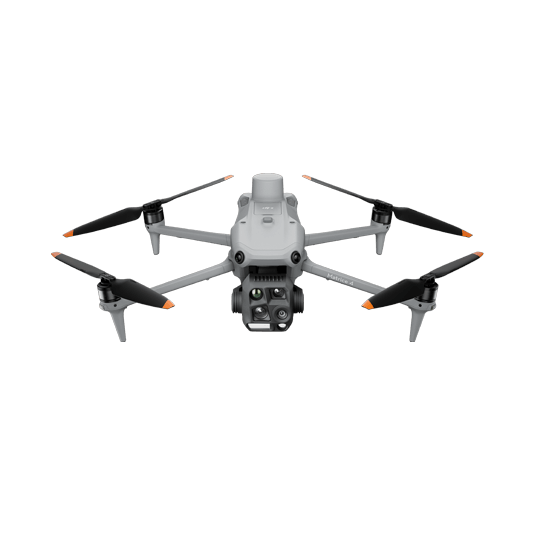
The Matrice 4T offers unparalleled portability for quick deployment missions. Easy to carry on fire response vehicles and equipped with visual and thermal cameras, it’s the ideal solution for initial risk evaluations.
Compact and lightweight design, around 1.2 kg and easy to carry in the response vehicle.
Fast and easy deployment, get airborne in around 30 seconds.
640 × 512 thermal radiometric sensor for accurate temperature readings.
Thermal palettes and temperature measurement tools for easy data interpretation.
Weight: 1219 g (with propellers) Max Flight Time (without wind): 49 minutes Environment Adaptability: Max takeoff altitude 6000 m, max wind speed resistance 12 m/s Sensing System: Omnidirectional binocular vision system, supplemented with a 3D infrared sensor at the bottom of the aircraft Wide-Angle Camera: 1/1.3-inch CMOS, 48MP effective pixels (Matrice 4T) Medium Tele Camera: 1/1.3-inch CMOS, 48MP effective pixels Telephoto Camera: 1/1.5-inch CMOS, 48MP effective pixels Infrared Thermal Camera: 1280 × 1024@30fps (Super Resolution enabled, Night Mode not activated) Laser Rangefinding: 1800m measurement range (1 Hz) @20% reflectivity target
Mission Execution: – Fly manually over the affected area looking for hotspots. Switch between infrared and visual views to evaluate the situation. – Select a suitable infrared palette and gain mode for the conditions at hand. – Use orbit flights to perform 360 circular flights around the structure, facilitating the risk evaluation. – Use the Link Zoom feature to zoom in simultaneously with thermal and visual sensors. – Share live feed with command staff through DJI FlightHub 2.
Post Mission Documentation: – Collect the videos and photos captured during the mission through DJI FlightHub 2 or download from drone SD card to be used as evidence or debrief documentation.
High Performance Fire Response
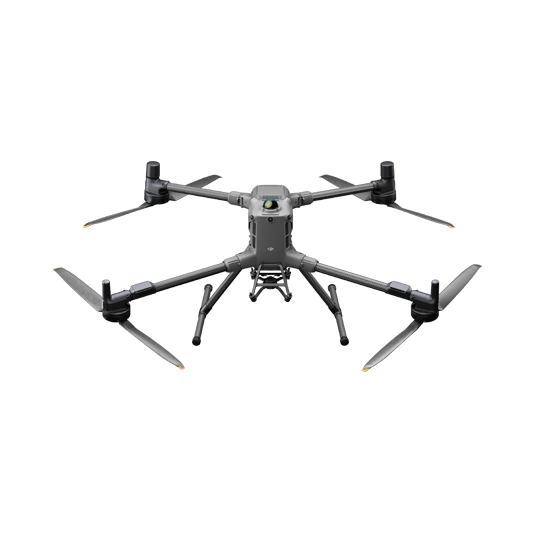
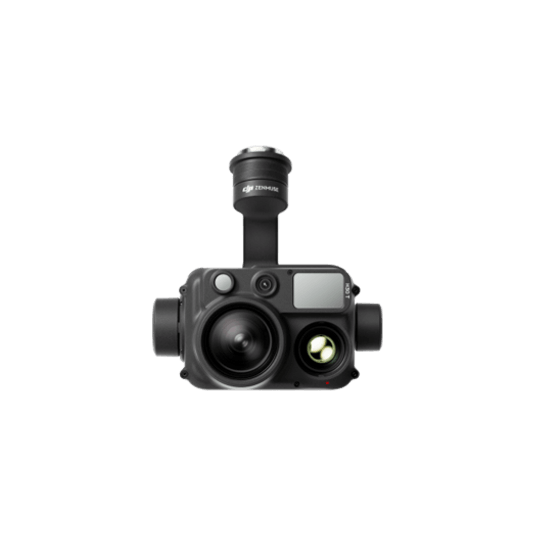
The Matrice 400, equipped with the Zenmuse H30T, brings enhanced thermal capabilities to fire response. Using the new H30T Night Scene mode, fire brigades can now gain valuable insights during low-light operations.
Reliable multipurpose drone platform easily adapts to the mission needs.
Mission Execution: – Fly manually over the affected area looking for hotspots. Switch between infrared and visual views to evaluate the situation. – Use the Link Zoom feature to zoom in simultaneously with thermal and visual sensors. – Select a suitable infrared palette and gain mode for conditions at hand. – Install the IR Density Filter to increase the measurement range of the thermal sensor. – Get the coordinates of hotspots using the laser range finder and the Pin Point function. – Share the coordinates with ground teams through the DJI Pilot 2 QR code or DJI FlightHub 2.
Post Mission Documentation: – Collect the videos and photos captured during the mission through DJI FlightHub 2 to be used as evidence or debrief documentation.
Versatile Aerial Thermal Reconnaissance
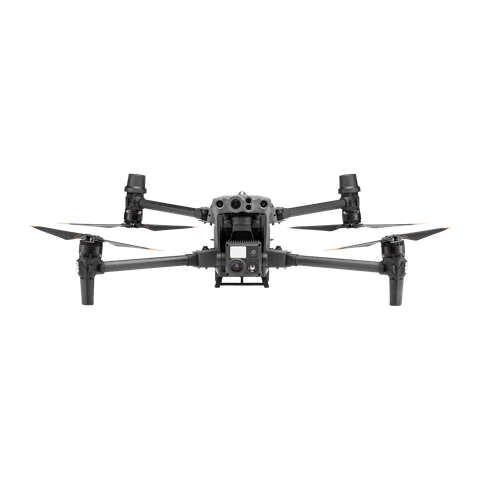
The Matrice 30T strikes the perfect balance between portability and performance. It integrates a hybrid sensor with visual, thermal, and laser range finder capabilities, ensuring optimal performance across a variety of fire emergencies.
Rugged, weatherproof IP55 mid-size airframe, provides balance between portability and endurance.
640 × 512 thermal radiometric sensor for accurate temperature readings.
Optical zoom for detailed object inspection from a safe distance.
Laser range finder to get accurate coordinates of targets.
Hot-swappable batteries and improved charging station for continuous operation.
Night scene feature provides enhanced awareness for low-light operations.
Mission Execution: – Fly manually over the affected area looking for hotspots. Switch between infrared and visual views to evaluate the situation. – Use Orbit flights to perform 360 circular flights around the structure, facilitating the risk evaluation. – Select a suitable infrared palette and gain mode for the conditions at hand. – Use the Link Zoom feature to zoom in simultaneously with thermal and visual sensors. – Mark hotspots to revisit using the laser range finder and the Pin Point function. – Share live feed with command staff through DJI FlightHub 2.
Post Mission Documentation: – Collect the videos and photos captured during the mission through DJI FlightHub 2 or download from the drone SD card to be used as evidence or debrief documentation.